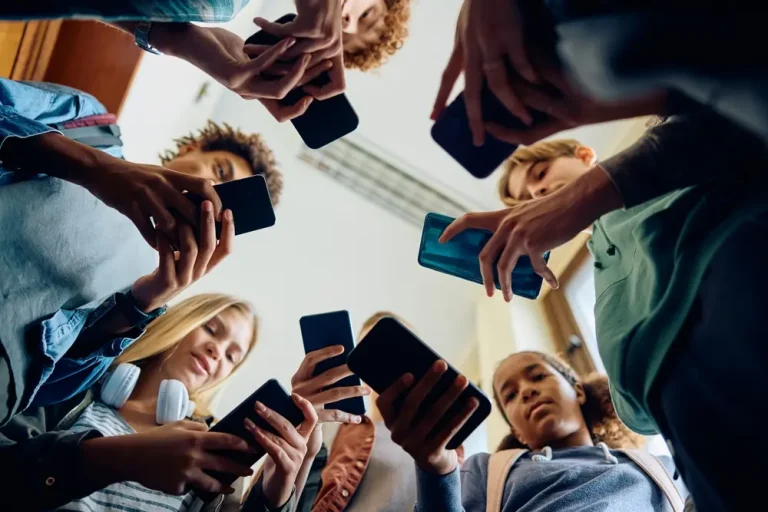
Group of people using and looking at a mobile phone.

How to upgrade your phone for less: buying a used cell phone

Upgrading your smartphone doesn’t have to break the bank. With technology evolving so rapidly, it’s easy to think that only the newest model can meet your needs. But that simply isn’t true. Buying a used phone is not just a budget-friendly option: it’s also a smart, sustainable choice. Whether you’re a student, a professional, or someone looking for reliable tech without the hefty price tag, this guide will show you how to make the most of your money while still getting a high-performance device. Let’s explore how to upgrade your phone for less without compromising on quality.

Why upgrade doesn’t have to mean “brand new”

Upgrading your phone doesn’t have to break the bank or involve chasing the latest flagship model. In fact, many people are discovering that used phones can offer the same performance and features at a fraction of the cost. With each passing year, manufacturers release newer models with only incremental upgrades. This means that last year’s phones are still highly capable and perfect for most everyday users, especially if you’re on a budget.

The value in last year’s models

Flagship smartphones from the previous year often come with advanced processors, high-resolution cameras, and long-lasting batteries. The only real difference from newer models is often a few marginal software tweaks or design updates. For example, a used iPhone 13 or Samsung Galaxy S21 still delivers lightning-fast speeds, gorgeous displays, and strong camera systems. Buying these models used allows you to experience premium tech at significantly reduced prices.

Myths about used phones

There are several misconceptions surrounding used phones, such as poor quality, outdated software, or security risks. The truth is, many used devices are gently used, factory-reset, and even refurbished to like-new condition. Reputable sellers like Recycell often inspect and test the phones thoroughly before reselling them, ensuring functionality and reliability. Many used phones even come with warranties or return policies, adding an extra layer of peace of mind.
Close-up of an unrecognizable woman holding a smartphone – mobile phone technology, internet ordering.

Where to buy quality used phones

When buying a used phone, where you purchase it from can make all the difference. Not all sellers are equal, so it’s important to choose sources that guarantee quality and transparency.

Online marketplaces

Websites like eBay and Facebook Marketplace offer a wide selection of used phones. However, buyer beware: the condition of the phones can vary, and scams do exist. Look for sellers with good ratings, verified accounts, and clear photos and descriptions. Always ask about return policies and make sure the phone isn’t carrier-locked unless you plan to use that same carrier.

Carrier trade-in programs

Some wireless carriers offer trade-in programs where you can upgrade your phone at a discount by trading in your current device. These phones are often gently used and tested for performance. While prices might be a bit higher than peer-to-peer platforms, you’ll often benefit from warranty coverage and customer service support.

Refurbished retailers

Certified refurbished sellers, like Apple, Best Buy, or Amazon Renewed, are some of the most reliable places to buy used phones. Devices are inspected, cleaned, tested, and often come with a limited warranty. These phones are typically in near-perfect condition and represent a smart middle ground between used and new.

Key things to check before buying

Before you finalize your purchase, there are a few essential things you should verify to ensure you’re getting a quality used phone.

IMEI/Serial number verification

Always ask the seller for the phone’s IMEI or serial number. This number can be checked online to see if the device is blacklisted, reported lost or stolen, or under financial contract. Using sites like Swappa’s IMEI checker helps ensure the device you’re buying is clean and ready to activate.

Battery health and screen condition

A common issue with used phones is battery degradation. On iPhones, you can view battery health in settings, while Androids may require a diagnostic app. Also, check for any screen burn-in, dead pixels, or touch sensitivity issues. Minor scratches are okay, but major damage may signal deeper problems.

Unlock status and carrier compatibility

Ensure the phone is either unlocked or compatible with your wireless carrier. An unlocked phone gives you more flexibility and can save you money if you ever want to switch carriers or travel internationally.

Happy, smiling young woman sitting at a table holding a smartphone – using modern mobile phone technology, looking at her phone while working.

Meet Recycell: your trusted used phone specialist

At Recycell, we specialize in high-quality used and refurbished cell phones that make upgrading simple and affordable. Each phone we sell is carefully inspected, tested, and restored to ensure it performs like new. Whether you’re looking for a flagship device from last year or a budget-friendly alternative, Recycell offers a wide range of smartphones to fit your needs and budget. Plus, with fast shipping, responsive customer service, and a warranty on every device, you can upgrade with confidence.

We believe in sustainability and affordability, which is why more students, professionals, and tech-savvy shoppers are turning to Recycell when it’s time for an upgrade.

How to save even more on your upgrade

Buying a used phone is already a great way to save money, but there are additional ways to stretch your dollar even further.

Timing your purchase

Prices on used phones tend to drop after major product launches, typically in the fall. Waiting a few weeks after the release of a new iPhone or Samsung Galaxy can lead to big savings on previous models. Holidays and back-to-school seasons can also bring additional deals.

Trading in your old device

Don’t let your current phone collect dust in a drawer. Trade it in through your carrier, a retailer, or third-party services. Even older models can bring in some cash to offset your upgrade cost.

Bundled deals or student discounts

Look for bundle deals where accessories (like chargers or cases) are included with the phone. Students may also qualify for special promotions or discounts when buying used tech. Websites like UNiDAYS or retailer promotions often list these offers.

The person is holding the box or casing of a new smartphone and unboxing it.

A smarter way to upgrade your tech

Upgrading your phone doesn’t have to be expensive or complicated. By considering used or refurbished phones from reputable sellers, you can enjoy premium technology at a fraction of the price. Remember to check key details like battery health, IMEI status, and carrier compatibility, and don’t forget to explore trade-in options and seasonal deals. With the right strategy, you’ll get a phone you love without stretching your wallet.

Used phones are no longer a compromise: they’re a smart, sustainable solution for anyone looking to stay connected for less.

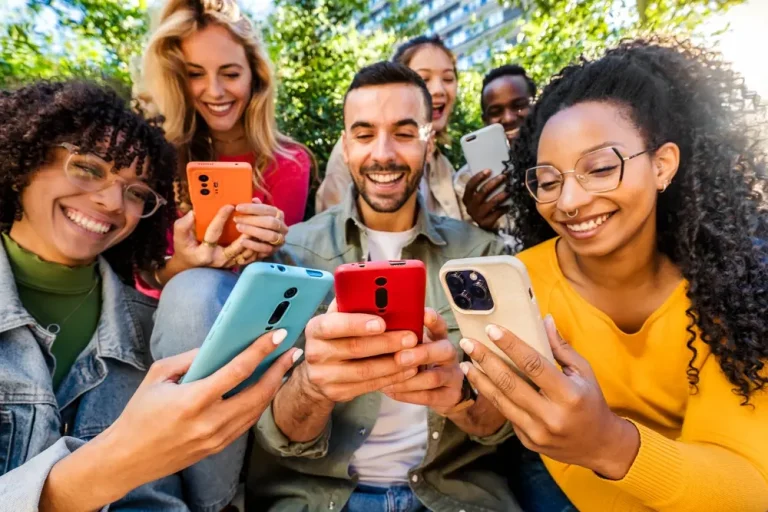
Group of young people with mobile phones. Enthusiastic students using their tech devices.

Used phones for students: why they are a great budget-friendly option

In today’s hyper-connected world, smartphones are no longer a luxury they’re a necessity. For students, a reliable phone is essential for everything from accessing course materials and managing schedules to communicating with classmates and participating in online learning. However, new smartphones come at a high cost, often making them inaccessible to students on a limited budget. That’s where used phones come in. Not only are they affordable, but they also provide a sustainable and practical solution for staying connected without breaking the bank.

This comprehensive guide explores why used phones are an excellent option for students, what to look for when buying one, and how Recycell can help you find a trustworthy device at the right price.

The rising cost of new smartphones

Smartphone prices have skyrocketed over the past decade. Flagship models from top brands like Apple and Samsung regularly exceed $1,000 CAD. Even mid-range models now hover between $500 and $700 an amount that could cover a month’s rent, a textbook haul, or a semester’s worth of groceries.

For students who are already juggling tuition, school supplies, housing, and transportation, buying a new phone often feels like a financial stretch. Many opt to stick with older, sluggish phones or take on payment plans that tie them into long contracts. That’s why used phones offer a financially smarter choice: you get the performance you need without the premium price tag

The rising cost of new smartphones

Affordability without compromise

Used phones typically cost 30% to 70% less than new ones. This means students can afford higher-end models with better performance and features than they could if buying new. Rather than settling for a budget phone with limited capabilities, students can access flagship phones from previous years that are still fast, reliable, and supported by current software updates.

Access to Better Technology

Technology evolves quickly, but not always drastically. A used phone from two or even three years ago may still offer impressive speed, high-resolution cameras, long battery life, and large storage capacity. These features can enhance a student’s productivity, making tasks like virtual learning, document scanning, and video conferencing easier and more efficient.

Eco-Friendly and sustainable

Buying a used phone helps reduce e-waste, which is a growing global issue. Every smartphone contains valuable materials that are difficult to extract and recycle. By extending the life of these devices, students contribute to a circular economy and minimize their environmental footprint.

No binding contracts

Unlike financing a new phone through a carrier, purchasing a used device outright gives students the freedom to choose their own prepaid or affordable monthly plan. No long-term contracts, hidden fees, or early termination penalties.

Group of young people using a smartphone outdoors – Happy friends laughing together while watching a funny video on a social media platform – Modern technology and lifestyle concept.

Features to prioritize in a used phone for academic use

When shopping for a used phone, students should evaluate more than just the price tag. While affordability is important, especially on a student budget, the right device can make a big difference in staying organized, productive, and connected throughout the school year. Here are some key things to look for when choosing a used phone for school.

Battery life

A phone with strong battery performance is crucial for full days on campus or online learning sessions. Check reviews or request a battery health report if buying refurbished.

Storage capacity

Between downloading lecture recordings, saving PDFs, and installing educational apps, students need adequate storage. Aim for at least 64GB, with cloud backup options for flexibility.

Display and performance

A crisp display makes reading and multitasking easier, while a fast processor ensures smooth use of apps like Zoom, Google Docs, and university portals.

Camera quality

High-resolution cameras are useful for scanning handwritten notes, taking photos of whiteboards, and participating in remote classes or meetings.

Security updates

Ensure the phone model is still receiving software and security updates to protect your data and maintain compatibility with current apps.

Common myths about used phones debunked

“Used phones are slow and outdated.”

Not necessarily. Many used phones from the last 2–3 years perform exceptionally well. Look for models with a fast processor (like Apple’s A14+ or Snapdragon 800 series), at least 4GB of RAM, and decent battery health.

“Used phones are unreliable or damaged.”

While this can be true for privately sold phones, certified pre-owned and refurbished devices from trusted sellers undergo professional inspections and repairs before resale.

“There’s no warranty or support.”

Reputable vendors often offer warranties and return policies on refurbished phones, making them a safe and supported purchase.

Smiling young Middle Eastern student walking with a smartphone and binders on a city street – Cheerful young Arab woman texting on her mobile phone while heading home after class.

Trust Recycell : reliable used phones for students

When it comes to buying a used phone that you can count on, Recycell stands out as a smart and reliable choice, especially for students. The company specializes in professionally refurbished devices that are carefully selected, thoroughly tested, and offered at competitive prices. Each phone is inspected based on strict technical and cosmetic standards, and customers have the option to add extended warranty protection. With a strong focus on quality, attentive service, and eco-conscious practices, Recycell makes it easy for students to get a high-performing phone at an affordable price.

Tips for buying a reliable used phone

To make a smart and secure purchase, students should follow these guidelines:

Buy from trusted sources

Avoid sketchy online marketplaces or unverified sellers. Instead, choose companies that specialize in used electronics, like Recycell, which provides device grading, testing, and refurbishment.

Check the phone’s condition grade

Most professional resellers use condition grades (e.g., A, B, C) to indicate cosmetic and functional state. Look for clear descriptions and photos, and aim for Grade A or B for the best balance of quality and price.

Ensure it’s unlocked

An unlocked phone can be used with any carrier, giving students flexibility to choose the most affordable plan.

Confirm the phone’s IMEI is clean

The IMEI number is like the phone’s fingerprint. Use online tools to confirm it’s not blacklisted due to theft or unpaid balances.

Low-angle view of high school students using their mobile phones.

Top budget-friendly used phone picks for students in 2025

Choosing a used phone doesn’t mean settling for outdated technology. Many smartphones from recent years still offer excellent performance, long battery life, and solid camera quality making them perfect for students who need a device for studying, communication, and entertainment without overspending. Here are some of the most recommended used phone models for students in 2025:

iPhone SE (2nd or 3rd Generation)

The iPhone SE is a favorite among students due to its compact size, fast processor (A13 Bionic or A15 Bionic depending on the version), and continued iOS support. It handles everyday tasks like browsing, messaging, streaming, and light gaming with ease. Its physical home button and Touch ID are also a plus for those who prefer a more traditional design. As a used model, it often comes at a much lower price than flagship iPhones.

iPhone 12 or 12 Mini

Still highly relevant in 2025, the iPhone 12 series offers 5G capabilities, a stunning Super Retina XDR display, and excellent camera performance. The 12 Mini is especially appealing for students who prefer a more pocket-friendly phone. Buying one used means accessing premium Apple features at nearly half the price of the latest models.

Samsung Galaxy S21 or S20 FE

Samsung’s flagship and fan edition phones remain solid options on the Android side. The Galaxy S21 has a powerful processor, great screen, and versatile cameras, while the S20 FE (Fan Edition) offers flagship-like features at a mid-range price point. These models are ideal for students who want Android flexibility with high performance.

Google Pixel 6 or Pixel 6a

Known for their clean Android interface and outstanding camera software, Pixel phones are perfect for students who love photography or want a clutter-free mobile experience. The Pixel 6 offers fast performance with Google’s custom Tensor chip, and the more affordable Pixel 6a delivers nearly the same experience at a lower cost.

OnePlus Nord Series

The OnePlus Nord lineup, especially models like the Nord N200 or Nord CE 2, combines speed, solid battery life, and a smooth user interface at a budget-friendly price. They’re great for multitasking, video calling, and social media all key needs for student life.

Motorola Moto G Power (2022 or 2023)

If battery life is your top priority, the Moto G Power is a standout. With up to three days of battery on a single charge and a clean Android experience, it’s perfect for long study days and late-night group chats. It’s also one of the most affordable options on the used phone market.

Smart choices for student-friendly used phones

In conclusion, choosing the right used phone can make a big difference in a student’s daily life both academically and socially. By focusing on performance, reliability, and affordability, students can find a device that fits their needs without stretching their budget. With trusted providers like Recycell offering carefully tested and refurbished phones, it’s easier than ever to stay connected, organized, and ready for success.

Why Does My iPhone Brightness Keep Changing or Dimming?

Have you been struggling with a display that keeps dimming despite your attempts to turn the screen brightness up? There are several possible causes for this problem, many of which can be easily fixed if you know what to look for!

In this article, find out why your iPhone’s brightness keeps changing and how to stop it from happening.

iPhone features that can affect brightness

If you find that your iPhone brightness keeps changing or dimming unexpectedly, don’t panic! It doesn’t necessarily mean that there’s something wrong with your phone. There are a variety of features that can affect screen brightness. It’s a good idea to check them all before jumping to conclusions.

Auto-Brightness

Generally, if your iPhone screen keeps dimming, it’s because Auto-Brightness is turned on. This feature automatically adjusts the brightness of your phone screen based on the surrounding lighting.

If you want to stop your phone from dimming automatically due to this feature, go to Settings –> Accessibility –> Display & Text Size and toggle off Auto-Brightness. You’ll see a warning that turning off Auto-Brightness can affect battery life. This is because leaving your phone on maximum brightness all day will drain the battery faster than allowing it to adjust automatically to the ambient light.

Night Shift

If your iPhone screen seems dimmer at night, it may be because you have Night Shift turned on. This feature shifts to warmer tones after sunset (using the clock and geolocation of your phone to ascertain when the sun will set) to help you fall asleep.

Go to Settings –> Display & Brightness –> Night Shift. There, you’ll be able to adjust the settings or turn Night Shift off entirely. You can also turn Night Shift on or off from the Control Center if your iPhone is running iOS 11 or later. Open Control Center by swiping down from the upper right-hand corner if your phone has Face ID, or swiping up from the bottom of your screen if not. Simply press and hold the brightness slider in the Control Center to access the Night Shift button.

True Tone

True Tone is a feature that automatically adjusts the colour of your phone’s display based on the ambient light, just like Auto-Brightness does for screen brightness. The colour shift may sometimes make your screen appear dimmer. Go to Settings –> Display & Brightness and check to see whether True Tone is on!

Low Power Mode

Low Power Mode is a feature that adjusts a variety of settings, including screen brightness, in order to conserve battery life. You can easily check whether your iPhone is in Low Power Mode by taking a look at the battery icon in the top right-hand corner. If it’s yellow, that means that Low Power Mode is on.

Low Power Mode will automatically turn off when your iPhone is charged to 80% or more, but if you’d like to turn it off manually, go to Settings –> Battery and toggle it off.

Reduce White Point

Reduce White Point is a feature that lowers the intensity of bright colours on your screen, making the display easier on the eyes. Go to Settings –> Accessibility –> Display & Text Size to access Reduce White Point. If you don’t want to turn it off completely, you can drag the slider further to the left to lessen its effect.

Common iPhone problems that can affect screen brightness

If none of the features listed above are causing your screen dimming problem, your iPhone may be experiencing a software or hardware issue. If that’s the case, there are a few simple fixes you can try before taking your phone to a professional for repair. If none of these solutions work, it may be a sign that you need a new phone.

Software glitches

Whenever we’re having trouble with a device, the first piece of advice we usually hear is “try turning it off and on again.” While it may seem silly, a simple restart can actually resolve many common phone problems! Your screen brightness issues may be caused by a temporary glitch that can be resolved by restarting your iPhone.

If that doesn’t work, try updating your phone. If a software glitch is the culprit, there may be a fix for it in the latest update.

Overheating

iPhones are programmed to dim automatically when they get too hot. This is a built-in feature from Apple that is designed to protect the phone’s internal components and prevent hardware damage, because the brighter a display is, the more heat it generates.

If your phone is getting too hot, it’s important to cool it down and figure out why it’s overheating. Possible causes include running power-intensive apps like mobile games or video players, having too many apps running in the background, downloads and installations and leaving your phone out in the sun. Try putting your phone in a cool place out of the sun, taking off the case and letting it rest for a while. You can even turn it off to try to speed up the cooling process.

Need to replace your iPhone? Shop at Recycell!

If you’ve tried everything on this list and still haven’t found a solution for your screen dimming problem, it may be a sign that something more serious is wrong with your phone. You may end up needing to have it repaired or replace it entirely.

Getting a replacement iPhone can be a very expensive prospect, but it doesn’t have to be! You can find a used phone online that’s still in great condition and costs far less than a brand-new device. Recycell offers a wide range of used smartphones and cell phones at unbeatable prices. Get a great replacement today!

Samsung Galaxy A5 for Sale in Calgary and Toronto

How Much Does a Samsung Phone Cost in Canada?

Samsung Galaxy phones are often considered to be some of the best Android phones on the market. Unfortunately, being at the cutting edge of smartphone technology means that Samsung’s best and newest devices end up being too expensive for many, particularly with the cost of living now so high.

In this article, find out exactly how much Samsung phones cost in Canada and what options there are for those on a budget.

The Samsung Galaxy S series

  • Samsung Galaxy S22 Ultra: $1,649.99
  • Samsung Galaxy S22+: $1,399.99
  • Samsung Galaxy S22: $1,099.99

Samsung’s Galaxy S series is a line of high-end smartphones that includes the tech giant’s flagship phones for each year. As the current flagship lineup, the S22 Ultra, S22+ and S22 contain some of the best and most innovative technology Samsung has to offer, and that is reflected in the prices. The cost of these devices is comparable to the flagship iPhones offered by Samsung’s main competitor, Apple.

The S22 Ultra is considered to be the successor to Samsung’s discontinued Note series, a line of phablets that supported stylus use. The S22 Ultra comes with an S Pen included and is designed with a slot to hold it. The model also boasts stellar camera performance and an ample 6.8-inch screen. One drawback to the Samsung Galaxy S phones is their lackluster battery life, although this improves slightly with the lower-cost models.

Samsung Galaxy S21 FE

  • Samsung Galaxy S21 FE: $759.99

The FE is a mid-range variant of the S series that offers similar cameras and performance but less functionality. This more reasonably priced device has its drawbacks, which include less RAM than the flagship models and a refresh rate that is not adaptive, meaning that it doesn’t change automatically depending on the content.

However, it offers many of the same features as the rest of the S series at a significantly reduced cost, which will make it worthwhile for some purchasers.

Samsung Galaxy A53

  • Samsung Galaxy A53: $589.99

The Samsung Galaxy A series is a line of mid-range Android smartphones that are similar to the Galaxy S series in many ways, but with certain specifications and features reduced in order to provide a more advantageous price. The cost of the Samsung Galaxy A53 is comparable to budget phones from other major providers, including the iPhone SE and the Google Pixel 6a.

The Samsung Galaxy A53 phone’s Exynos processor is less powerful than the Snapdragon, which powers Samsung’s flagship phones. That being said, it has an excellent display with a 120Hz refresh rate, and it beats all of the S series devices on battery life, clocking in at over 10 hours.

The Samsung Galaxy Z series

  • Samsung Galaxy Z Fold 3: $2,269.99
  • Samsung Galaxy Z Flip 3: $1,259.99

The Samsung Galaxy Z series is a high-end line of smartphones with foldable screens. While this innovative technology might seem like a must-have, there are a few things to consider before taking the plunge. Foldable phones are still new and therefore come with a hefty price tag. Furthermore, they have a significantly shorter battery life than the rest of the phones on this list.

Last but certainly not least, Samsung is expected to announce a new generation of Galaxy Z phones very shortly (August 2022). If you want to purchase a Galaxy Z Fold 3 or Flip 3, the best time to buy will probably be once the new generation is available and consumers are in a frenzy to get their hands on the latest models.

How to choose the right Samsung phone for your needs

If you’ve settled on a Samsung Galaxy phone, the biggest deciding factor for which model you choose will most likely be the price, given that there is such a wide range and generally speaking, you get what you pay for.

You can also consider factors such as what you use your phone for most. If you want to use a stylus, opt for the S22 Ultra. If you do a lot of photography, something from the Galaxy S series will offer the best camera features.

For those on a tighter budget, the Galaxy S21 FE and the Galaxy A53 are good options. However, if you have your heart set on a flagship device, you may want to consider getting a slightly older model secondhand.

Recycell: used phones at great prices!

If you’re looking for a high-performance Samsung phone that won’t break the bank, why not shop for a used smartphone online? Recycell offers a wide range of used phones obtained from large companies looking to upgrade their fleets of devices. Each of our phones is carefully inspected, refurbished if necessary, and assigned a rating for optimal quality assurance and transparency. Find your next phone today!

What to Do If You Drop Your Phone in Water

Spilling water on your phone or dropping it in water can be extremely frustrating. Almost all of us have done it…in the pool, in the toilet, in a puddle, you name it.

Even if your phone won’t turn on, don’t panic! You can use the following techniques to save a wet phone.

Go ahead and bookmark this page because you never know when bad luck may strike! It’s best to be prepared.

How to get water out of your phone

The procedure for bringing a wet phone back to life is relatively simple.

We’ve made it even easier for you by breaking it down into 5 steps:

1 – Remove your phone from the liquid ASAP

In general, the longer your device is exposed to water, the worse the damage is likely to be. If you drop your phone in a liquid, take it out immediately and put it on a clean, dry surface.  Remove it carefully, because the liquid may spill all over the device if you move it too much.

You should also remove your phone’s protective case or screen ASAP because liquid may have leaked between it and the device.

2 – Turn off your phone and take out the battery

You probably know already that water and electricity don’t mix. Water can cause active electrical circuits to short out. However, it doesn’t have as devastating an effect on de-energized electronics.

That’s why it’s a good idea to turn off your smartphone as soon as possible if you drop it in water. Next, if you can (this isn’t possible for some models like iPhones), open your device and remove the battery.

If your phone has accessories or removable parts (SIM card, Micro-SD, etc.), you should remove them just in case.

3 – Blot with a clean cloth

Blot up any remaining liquid on your phone with a clean, absorbent cloth, blot. Want to dry out your phone’s charging port? Don’t insert a cloth or cotton swab. Let it air dry. You should also avoid pressing buttons unnecessarily.

That said, if your phone has come into contact with a sugary liquid (beer, juice, etc.) or salt water, you should first clean it with a slightly dampened cloth, then blot it with a dry cloth. This may seem counterintuitive, but you want to prevent salt or sugar crystals from forming as your device dries. Salt can also corrode certain electronics.

4 – Wait 24 hours

The next step is waiting! Place your phone on a clean, dry towel in a dry, well-ventilated area and let it air dry for at least 24 hours.

Do not use a hair dryer to try to speed up the process! The heat may damage fragile components of your phone and increase the damage.

5 – Test your device

With any luck, your phone will start working again once it’s completely dry.

Over the next few days, however, you should keep a close eye on how your device is working. You’ll need to see how it performs key tasks like playing music, taking pictures, etc., to find out if everything is working normally. If you notice any problems, seek advice from a professional. They can tell you if the problem can be fixed or if you should replace your phone.

Other ways to save a smartphone from water damage

While the above method is the best way to save your smartphone, the following tried and true strategies may work in certain situations.

Put your phone in a bag of rice

The theory is that uncooked rice absorbs moisture. Submerge your wet phone in a bowl of uncooked rice for 24 hours to effectively dry out the phone’s hard-to-reach areas.

This method is both accessible and affordable. After all, who doesn’t have a bag of rice in their pantry? If you do try this method, make sure you carefully wrap your device in paper towels before putting it in the rice to prevent rice grains from getting in the cracks or charging port.

Harness the power of synthetic desiccants

This option is a little less readily available than rice. But if you do have silica gel on hand, feel free to use it. Synthetic desiccants are generally much more effective than rice and greatly reduce drying time.

Try a specialized product

Want to fix your water damaged phone without rice? If you can get a hold of a small Dry-All bag, just put your phone in it for the suggested time (usually between 24 and 48 hours). Wet cell phone emergency kits can also be a great help. You can easily find them on the internet for under $20.

Still no luck? Replace your phone with one of our devices

Unfortunately, even if you’ve followed all of the tips in this article, your water damaged phone may be beyond repair. In that case, why not replace it with a rugged phone or a waterproof phone? You’ll be less likely to end up in the same waterlogged situation!

Don’t pay outrageous prices for a new phone. Choose a used smartphone instead. At Recycell, we offer used iPhone and Samsung phones so you can replace your smartphone without breaking the bank!

5 Mobile Phone Technologies Coming to Your Smartphone in the Near Future

Not that long ago, it was easy to think that phones of the future would be able to control everything around us, have holographic screens, or look more futuristic than they do now.

Although we have already seen significant advancements in mobile phone technologies, developers still have a lot in store for our mobile phones.

Recycell will tell you about 5 mobile phone technologies you can look forward to having in the near future.

1. Internet of things (IoT)

The Internet of Things (IoT) refers to a number of devices or features being connected and operated through the internet on a single device, in this case your smartphone.

Smart homes are a great example of this. Using your phone, you can lock your doors, open your garage, control your security systems, and much more. The variety of devices we will be able to control from our mobile phones is only predicted to increase. We will soon be able to use IoT to its full potential.

2. Foldable phones

Foldable phones use a flexible plastic OLED display, allowing the phone to fold in half. Though they have already hit the market, their durability has been questioned up until now

Leading manufacturers such as Samsung are continuously working to make them more resistant to cracks and physical damage. Many manufacturers have also expressed interest in eventually making them more affordable as this phone technology becomes more common.

3. Battery improvements

Though battery improvements have already started to appear, with low power mode or phone battery life lasting the entire day, manufacturers are striving to further improve battery technologies.

Not only will the battery life of your phone itself be much better, but the charging time will also be significantly improved. This has already started being implemented, for example with the Huawei Mate Xs, whose battery can charge up to 85% in just 30 minutes.

Wireless charging is also expected to improve in 2021.

4. 5G technology

We already got a glimpse of 5G connectivity, which has the potential to be 100 times faster than 4G technology. But it is more than just being able to browse the internet at high speed. Every mobile network technology advance adds to what we can possibly do with the internet.

In short, 5G will likely lead to more cloud-based games, opportunities for automation, and more, all while supporting some of the other technologies mentioned in this article.

5. Upgraded AI

Artificial intelligence (AI) is nothing new, but it is not currently being utilized to its full potential. This will likely change in 2021.

Machine learning algorithms and other AI phone technologies will play a role in providing solutions for us following health and infection rate data. This is especially important during the COVID-19 pandemic.

AI will also be useful for common everyday apps. It will be able to measure user experience and engagement to provide a better understanding of how these aspects can be improved. App developers can then access this information and use it to improve their apps.

Mobile phone technologies to look forward to

These were only a few of the many mobile phone technologies we can look forward to in the near future. Considering that most people nowadays have a smartphone, these mobile phone technologies are sure to be appreciated by many.

Looking for a new phone while waiting to see what 2021 has to offer? Keep an eye out on Recycell’s selection of used cell phones!

What is a Foldable Phone?

Smartphones have been quickly evolving in the last few years. From high quality cameras to fingerprint scanning and facial recognition, our phones have never been so “smart”.

As if these features were not enough, foldable phones are the latest trend on the market. But what exactly is a foldable phone?

Recycell gives you more information on this technology.

What exactly is a foldable phone?

No, we are not talking about flip phones from the early 2000s. Foldable phones are part of the latest smartphone technologies.

The most impressive feature that defines this new device is the fact that the screen itself is bendable and can be folded in half. Some models go from the size of a phone to a smaller design, while others go from the size of a phone to the size of a tablet.

Foldable phones can be used in their smaller, folded state, or in their wider form by unfolding them horizontally or vertically depending on the model. They are therefore appreciated for their large screens but compact design.

How do foldable phones work?

You may be wondering how something similar to the phone you currently have can possibly fold in half.

Whereas most smartphone screens are made of glass, foldable phones typically use flexible plastic OLED displays. This material is highly resistant to bending, although it is more likely to be scratched than your usual smartphone screen.

The manufacturing process and operating systems are also very different from regular smartphones, hence the reason there are not many on the market yet.

Foldable phones on the market

Apple has not yet released a foldable phone, but companies such as Samsung, LG, Huawei and more have already taken the opportunity to develop devices for this growing market.

Here are some of the leading foldable phones.

Samsung Galaxy Z Flip

The Samsung Galaxy Z Flip is not the first of Samsung’s foldable phone options, but it is the latest model. Whereas the Samsung Galaxy Fold folded vertically, this model folds horizontally for a more compact design.

This newer premium model made with ultra-thin glass offers 256GB of storage space with 8GB of RAM. The hinge can be opened at different angles and the content on your phone continuously adapts to fit this device.

Motorola Razr 5G (2020)

You may remember the original Motorola Razr flip phone from the early 2000s.

They have taken their iconic design and upgraded it with the latest technology to create the Motorola Razr 5G. They released the device in 2019 and the second generation 5G model in 2020. Similar to the model above, it features 256GB of storage with 8GB of RAM.

It also has an external camera that becomes a selfie camera when the device is folded.

Huawei Mate Xs

The Huawei Mate Xs is the second generation of their 2019 model.

It resembles a typical smartphone with a 6.6-inch screen, but it is essentially an 8-inch tablet when unfolded. It has even more storage than the previous models, with an impressive 512GB of space. It is also compatible with 5G networks.

One of their key features? The battery can charge up to 85% in as little as 30 minutes!

Not quite ready to purchase a foldable phone?

There you have it: the basics of foldable phones.

Considering that foldable phones are fairly recent, they are unfortunately still quite expensive, typically starting at just a little under $2,500. They may become more common and therefore more affordable in the years to come as technology evolves.

Until then, why not save some money and purchase a used cell phone from Recycell? Contact us if you have any questions!

Smartphone Security: How to Secure Your Mobile Phone

Mobile phones have become essential tools of everyday life. These small devices allow you to do a variety of things at any time of the day, such as sending e-mails, buying goods online, accessing your bank account, etc. You can even save your credit card information to pay directly with your phone using contactless payment technology!

However, for all these reasons, you also need to make sure that your cell phone is well secured so that no hackers or scammers can access your personal information.

In this article, find some smartphone security tips that will help you better secure your phone.

Perform all updates on your smartphone

Whether you have a used cell phone or brand new smartphone, it’s essential to keep your operating system up to date. Dedicated specialists work every day to identify and repair potential flaws in cell phone software. Updates are therefore made to make the changes necessary for protecting your mobile device from these vulnerabilities.

Lock your mobile phone screen

Locking your smartphone is perhaps the easiest way to protect your device. There are several ways to lock your phone. You can use a code, a password, a pattern, or, on newer devices, a biometric tool such as facial and fingerprint recognition.

However, if you choose a code or password, consider it carefully so that you don’t choose something too common, such as “1234” or “password”. Choose a password that you will remember, but that cannot easily be guessed.

Check the permissions of your mobile applications

With your permission, some mobile applications might need access to tools on your phone to work. For example, Instagram needs your permission to access your camera and microphone to record photos and videos.

Before you install a new application, always verify what information and data it needs to access. You can always revoke these permissions at any time.

Avoid using social media and email on a public Wi-Fi network

Public Wi-Fi networks can be very useful if you need quick Internet access when you’re away from home. However, you should remain vigilant when using them since these networks are not secure.

If you connect to a public network, be careful not to use your social media, email and online shopping applications. Above all, never visit an unsecured website on a public network. These platforms, which may contain lots of your personal data, are not entirely safe to use on a public Wi-Fi network.

Smartphone security: better safe than sorry!

In short, securing your mobile phone is pretty easy. All you need to do is adopt good habits, such as locking your phone, checking your app permissions and always being vigilant about where you use your device.

We hope you’ve enjoyed this overview of best practices for improving your smartphone security!

At Recycell, we want to help you take better care of your mobile devices. For more tips on caring for your cell phone, visit our blog section.